Home
Home is what Zelos opens to. It sits outside every workspace.
To get back to Home, click the house icon in the center of the title bar, or press Cmd+Shift+H (macOS) or Ctrl+Shift+H (Windows/Linux). The command palette also has Go to Home.
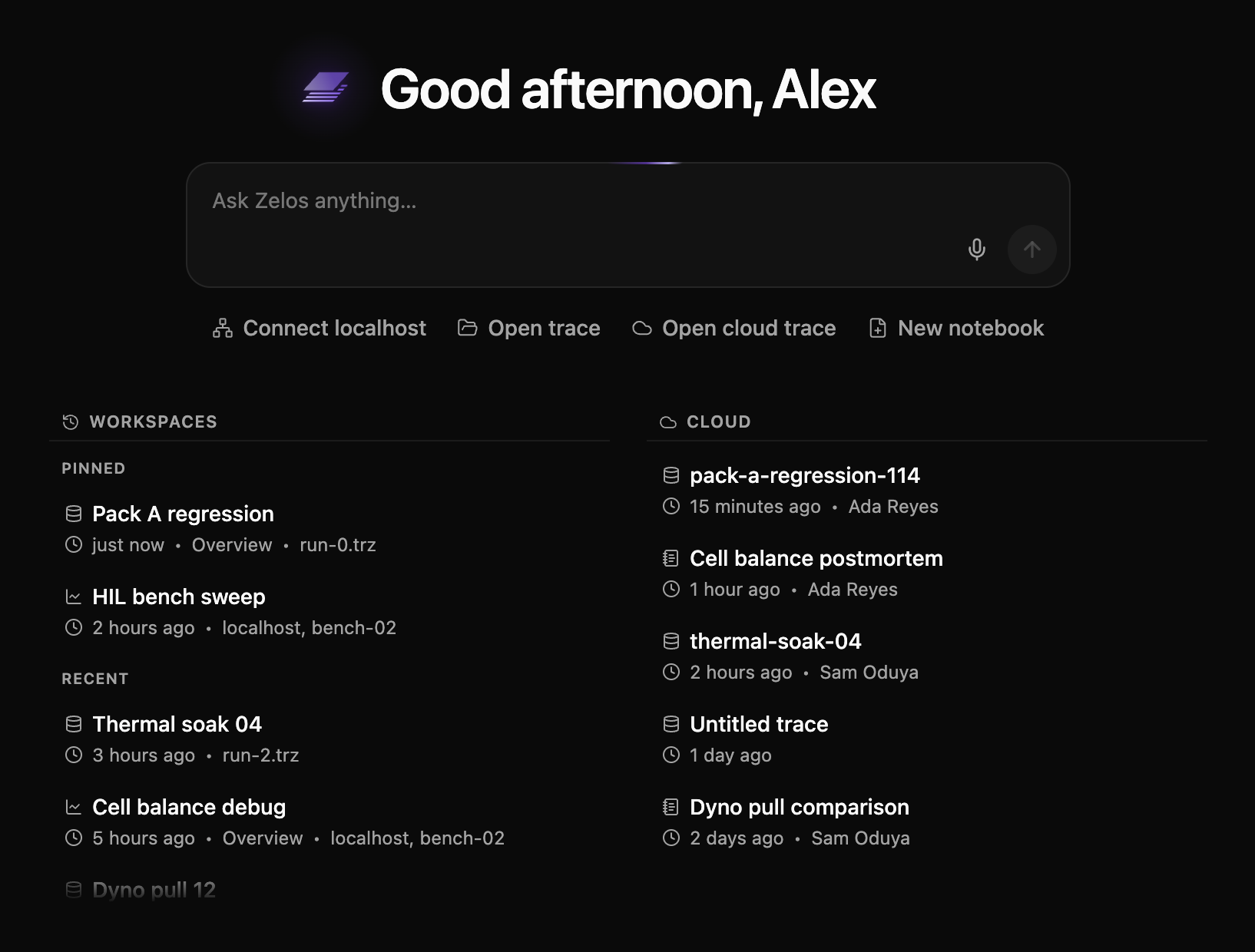
Ask Zelos
Type a question in the box and press ++enter++. Zelos opens in the sidebar with your question already sent. While you talk, the box shows Continuing in the sidebar, and it comes back when the conversation ends.
Each question you ask from Home starts a new chat. To carry on with the last one, use the box in the sidebar.
Not sure what to ask? The box suggests examples as you watch it. See Zelos AI for what the assistant can do.
Open your data
| Connect localhost | Connect to an agent running on this machine |
| Open trace | Open a .trz file from disk |
| Open cloud trace | Open a trace from its console URL (a zelos:// deep link also works) |
| New notebook | Start a notebook |
You can also drag trace files onto the page. Drop several at once and they open together. Drag a signal from the Explorer onto Home to start a new layout with it.
Pick up where you left off
Workspaces lists the work you've opened, newest first, with a reminder of what each one holds. Click one to reopen it.
Going Home leaves the workspace you were in. Zelos disconnects its agents and closes its traces. Its tabs, panels, and layout stay as they were, and it becomes the newest entry in Workspaces. Open it again and Zelos restores it and reconnects its agents. Until you quit Zelos, it also brings back the undo history, the series you hid, and table searches of the last 10 workspaces you left. Nothing asks you to confirm.
Pin the ones you return to often and they stay at the top. Right-click any row — or use its ⋮ — to pin, rename, or remove it.
Note
Removing a workspace forgets the arrangement of tabs and panels. Your traces are untouched.
Cloud shows what your team has shared in Zelos Cloud — the same traces and notebooks the Cloud view lists, newest first. Click a row to open it, or choose Details from its menu for the full page in the sidebar.
Signed out, without an organization, or offline
Signed out, you can still connect an agent, open a trace from disk, and create notebooks. Sign in to add Zelos AI and your team's cloud library.
Signed in without an organization, Zelos asks you to create one or join your team before you go on. See Organizations. Until Zelos reaches your account, the ask box is replaced by You're not in an organization yet and a Set up your organization button.
When Zelos AI is off for your team, the ask box is replaced by a short note that says so.
Offline, Home shows only what works without a network. The Cloud list is hidden.