Sidebars
Zelos has two resizable sidebars, one on each side of the workspace. Each sidebar is topped by a horizontal rail — a row of tabs that switches what the sidebar shows. Signal trees, notebooks, extensions, layouts, AI chat, and Settings are all sidebar items you can rearrange however you like.
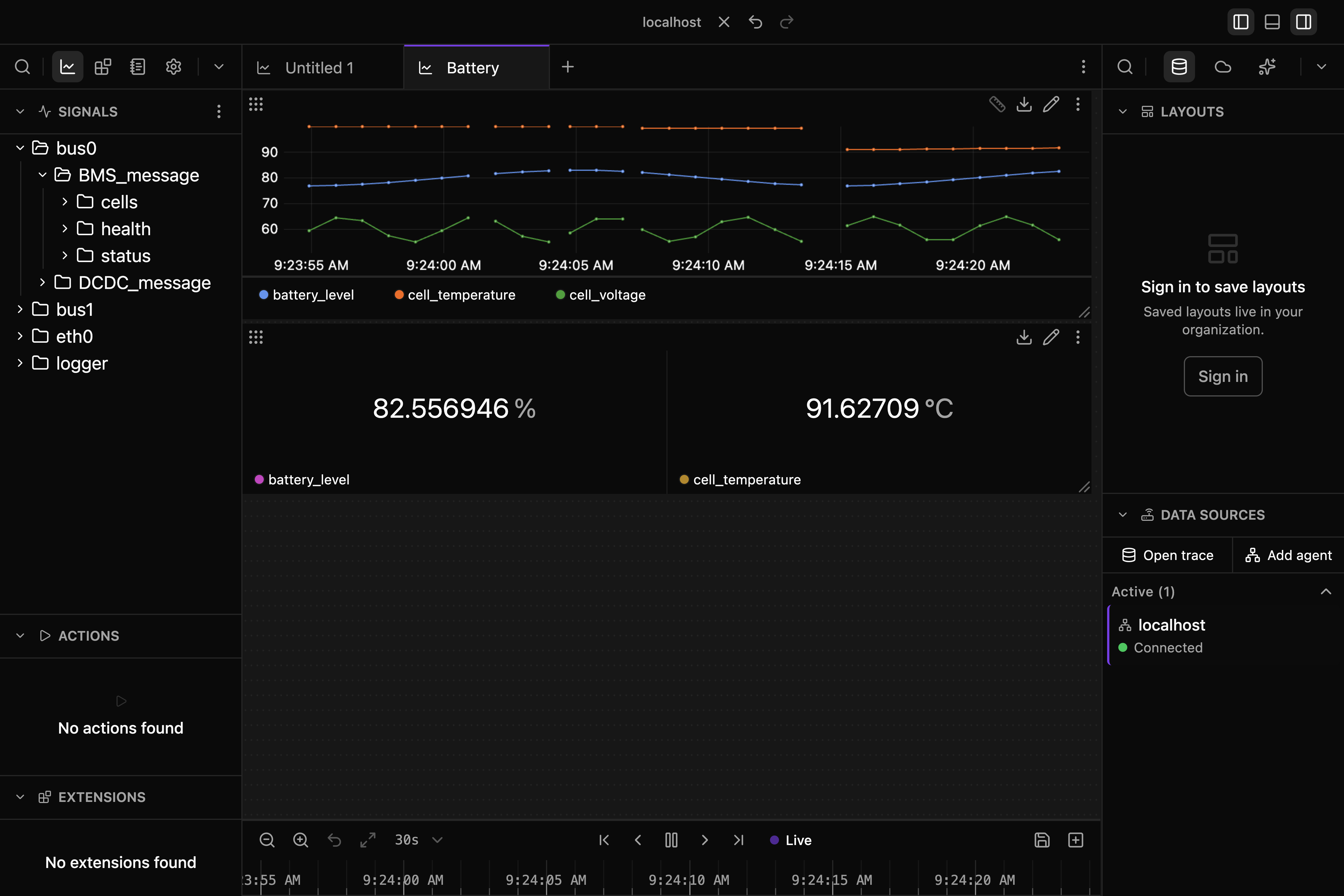
The Rail
Every sidebar has the same rail at the top:
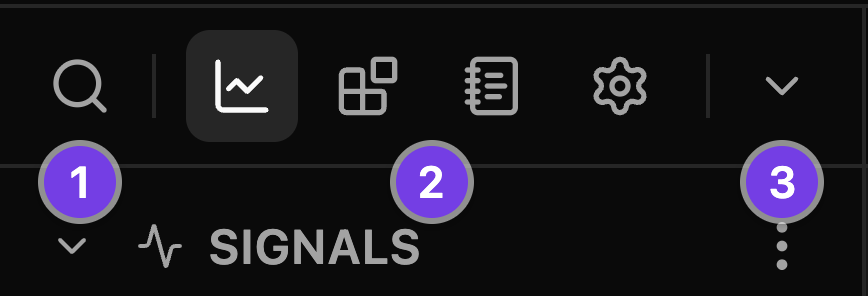
- Search (always on the far left) — filters the active view. It dims when the active view has nothing to search.
- Pinned views — one icon per pinned item. Click an icon to switch views; the highlighted icon is the active one.
- All views menu (the
⌄chevron, always on the far right) — lists every item on that side, including ones that aren't pinned or don't currently fit in the rail.
Hover any icon for its name, plus its keyboard shortcut where it has one.
Rail Items
| Item | What it shows / does | Default side |
|---|---|---|
| Explorer | Signals, Actions, and Extensions trees | Left |
| Extensions | Installed extensions and the Marketplace | Left |
| Notebooks | Local notebook library; Parameters and Python settings for the active notebook | Left |
| Settings | Settings categories and search; opens the Settings tab | Left |
| Data | Saved layouts, connections, and trace files | Right |
| Cloud | Your team's traces and notebooks on Zelos Cloud | Right |
| AI Chat | The Zelos AI assistant — Cmd+L / Ctrl+L opens it from anywhere |
Right |
| Installed app extensions | Opens the extension in its own tab | Left |
App extensions open as tabs in the main area, and their rail icons highlight while that tab is active. Settings does both: the sidebar shows its sections (and searches them), while the settings themselves live on one page in the Settings tab — pick a section or a search result to jump straight to it. Everything else shows its content in the sidebar itself.
Notebooks, Cloud, Data, and AI Chat each show either their root list or one item's detail. Every detail header names the item, has a back icon whose label and tooltip name the root — Back to Notebooks, Back to Cloud, Back to Data, or Back to Chats — and carries a ⋮ with the same actions as the item's row. Esc also returns to the root unless you are editing text. Detail bodies use one stack of labeled sections such as Description, Details, History, and Tags, with timestamps formatted consistently: Today, 3:42 PM, Yesterday, 6:03 PM, or Jun 28, 1:30 PM.
Notebooks also pair a sidebar navigator with a main-area tab. The resting view lists local notebooks, recents, and examples. Opening a notebook switches the sidebar to its Parameters and Python settings. The inspector's ⋮ has the same actions as that notebook's library row: Rename, Duplicate, Move to, Copy file path, Show in folder, and Delete. See Zelos Notebooks for the editing and execution workflow.
Data lists your agents, trace files, and cloud traces, active ones first, then pinned and recent. Every row has the same ⋮ and right-click menu: Pin, Rename, the actions for that kind, then Remove. An agent offers Connect or Disconnect and Copy address, plus Settings and Backfill when it is remote; a trace file offers Open or Close, Copy path, and Show in folder; a cloud trace offers Open or Close, Copy link, and Open in console. Removing an active row disconnects or closes it first.

Organizing Your Sidebars
Open the ⌄ menu and hover a row to reveal its actions:
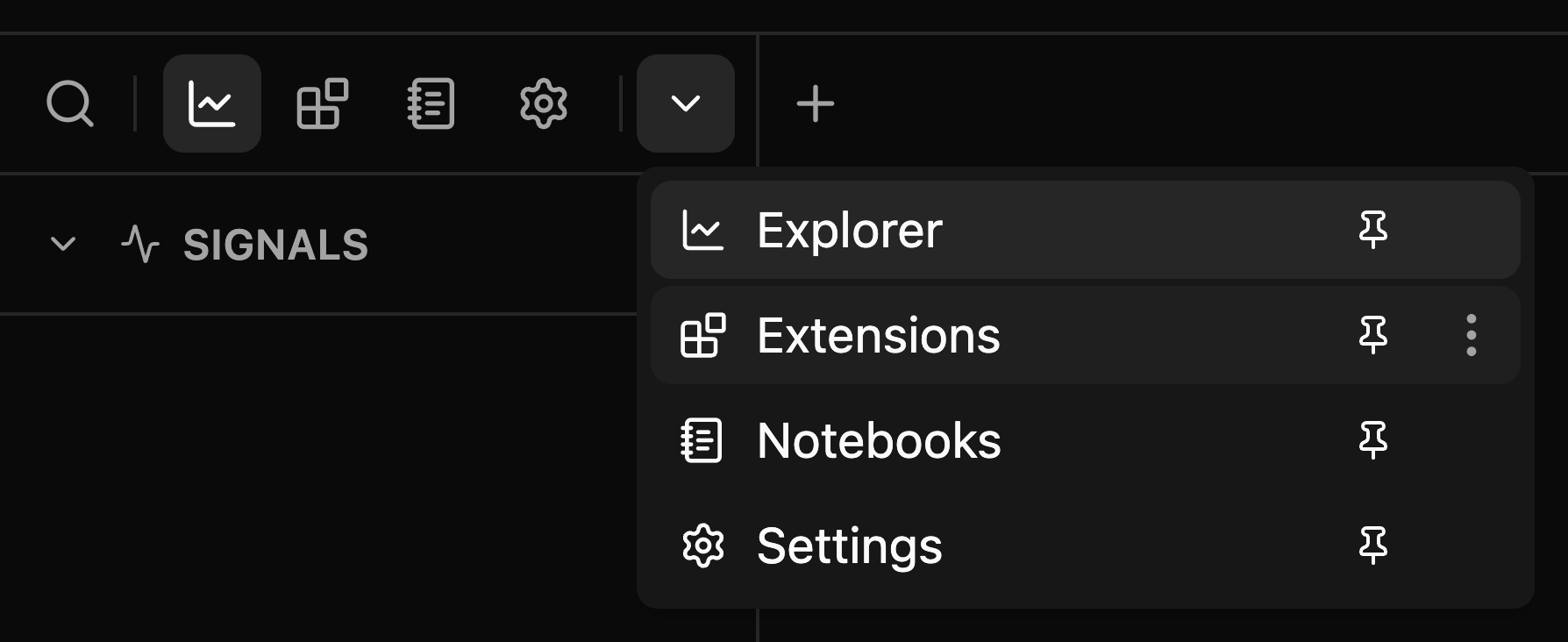
Pin and Unpin
- Pinned items get an icon in the rail.
- Unpinned items stay available in the
⌄menu only — useful for things you open rarely.
Click the pin icon on a menu row to toggle it.
Reorder
Drag rail icons left or right to reorder them. You can also drag rows up and down inside the ⌄ menu.
Order matters when space runs out: if the sidebar is too narrow to show every pinned icon, the last items overflow into the ⌄ menu. The active view always stays visible, no matter how narrow the rail gets.
Move Views Between Sidebars
Two ways:
- Drag a rail icon onto the other sidebar's rail, dropping it exactly where you want it.
- Or pick Move to left/right sidebar from the ⋮ menu on its
⌄menu row.

A moved view becomes active on its new side, and that sidebar opens.
Uninstall an App
Installed apps get one extra action in their row's ⋮ menu: Uninstall removes the app from Zelos, the same as uninstalling it from the Extensions view.
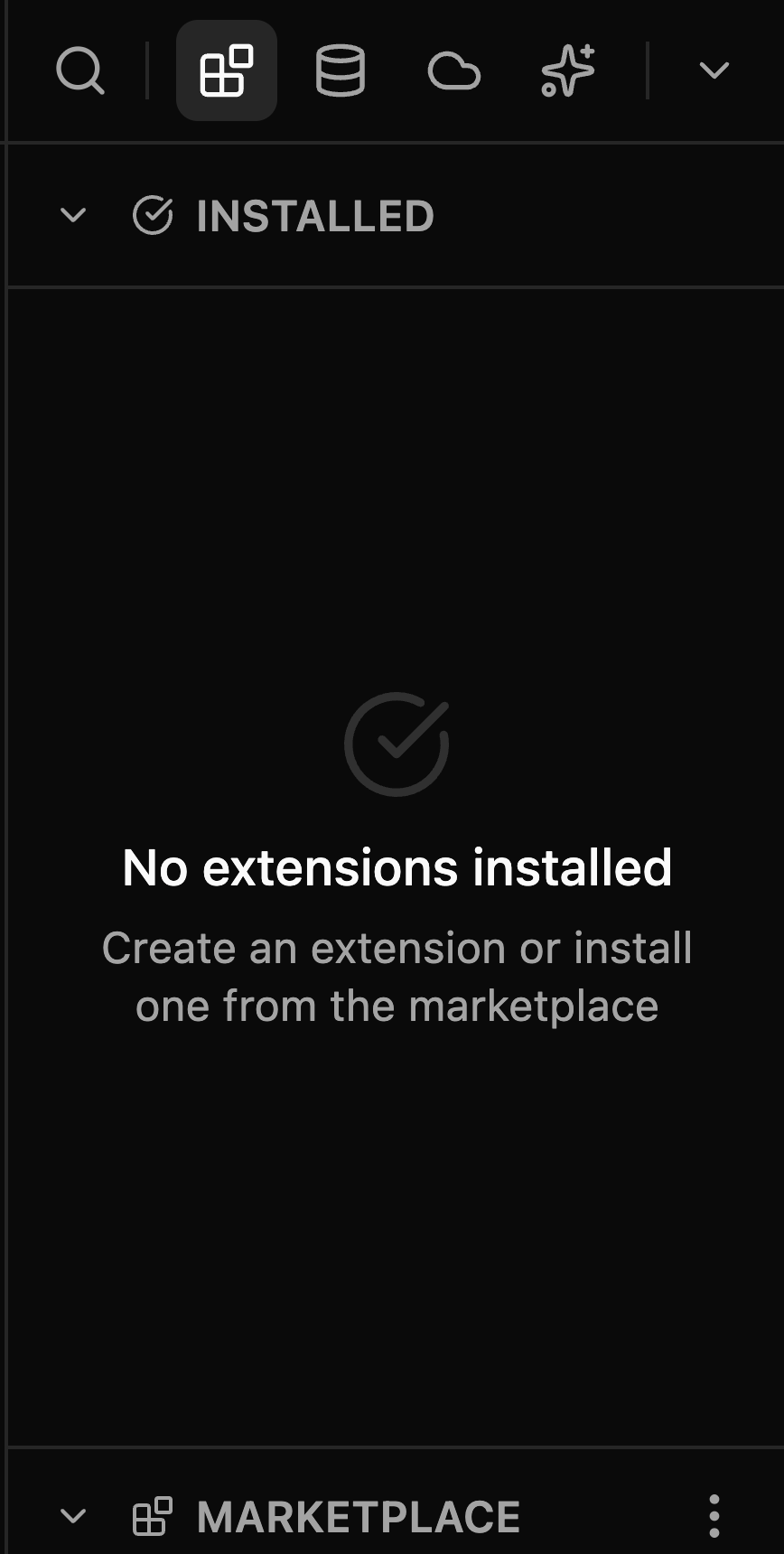
If you move everything off one side, the empty sidebar tells you how to bring views back:
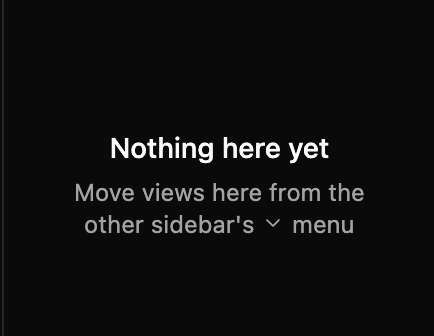
Your arrangement sticks
Placement, order, pins, the active view on each side, sidebar widths, and each view's section heights and open sections all persist across restarts.
Search
Click the search icon (or press Cmd+F / Ctrl+F for the left sidebar, Cmd+Shift+F / Ctrl+Shift+F for the right) to expand the search field across the rail.
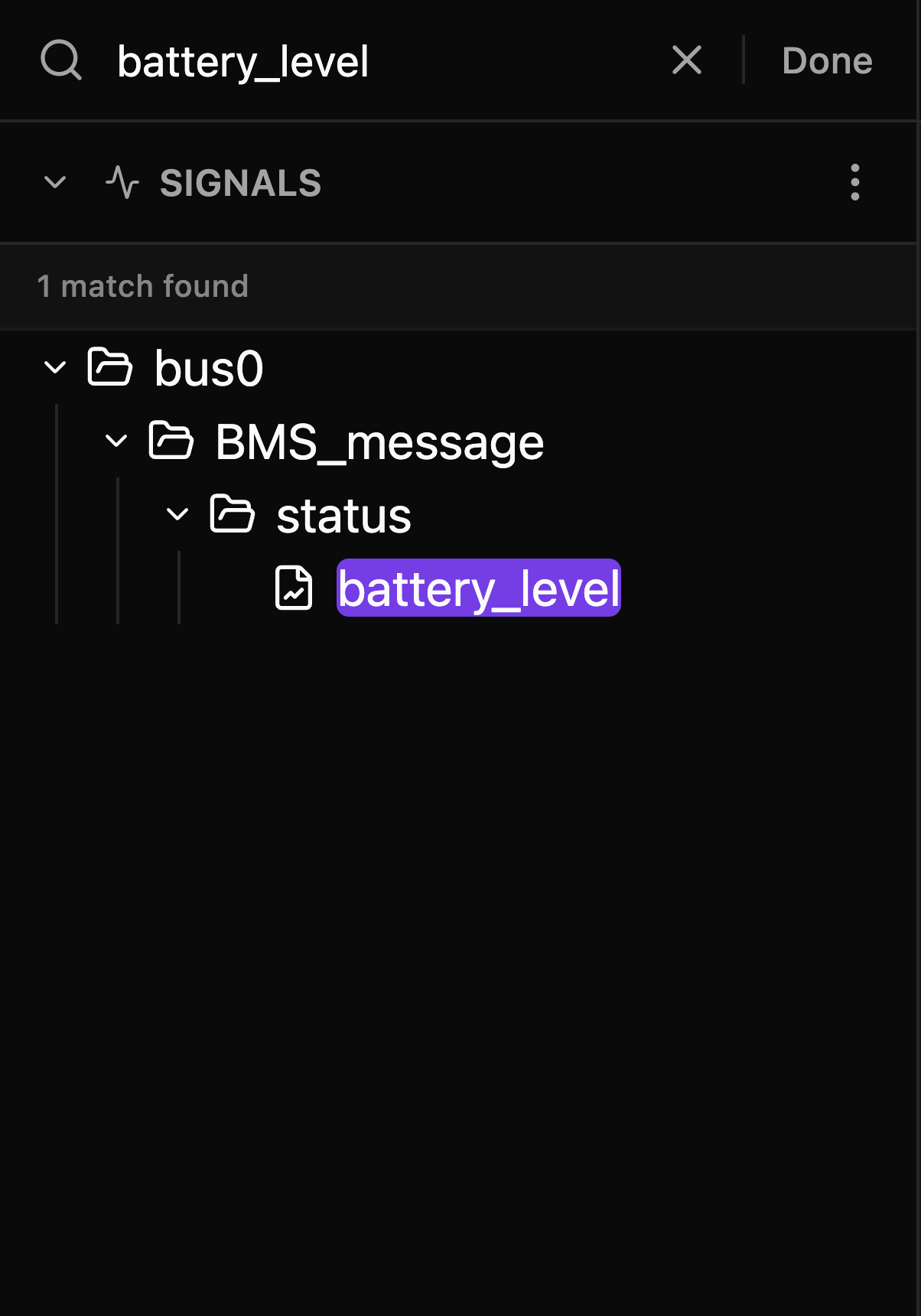
- Search filters the active view — signals/actions/extensions in Explorer; notebook names, descriptions, relative paths, and folders in Notebooks; installed and marketplace extensions in Extensions; layouts and data sources in Data; recent chats in AI Chat; and every setting in Settings (matching names, descriptions, and synonyms like "fps" or "telemetry"; picking a result jumps the Settings tab straight to that control and highlights it).
- The shortcut opens a collapsed sidebar for you and focuses the search box.
- The X button clears the text but keeps the search open.
- Done or Escape close the search and clear the filter. Switching views or workspaces does the same.
In Notebooks, Cloud, Data, and AI Chat, a search term always shows the filtered root list in place of an open detail. Clearing the text restores the detail you were viewing. In AI Chat, this means the hero and composer also disappear while only matching recent chats are shown.
Picking something out of a filtered list closes the search — a chat, a notebook, or ⋮ → Details on a trace or a layout. The view lands on what you picked rather than the list you picked it from.
Press ↓ in the search field to move into the first result in the notebook library, Cloud list, or AI recents. Continue with ↑ and ↓, then press Enter to open the selected row.
Search shortcuts are context-aware
With focus inside a Log panel, Cmd+F / Ctrl+F targets that panel's log search instead of the sidebar.
Badges
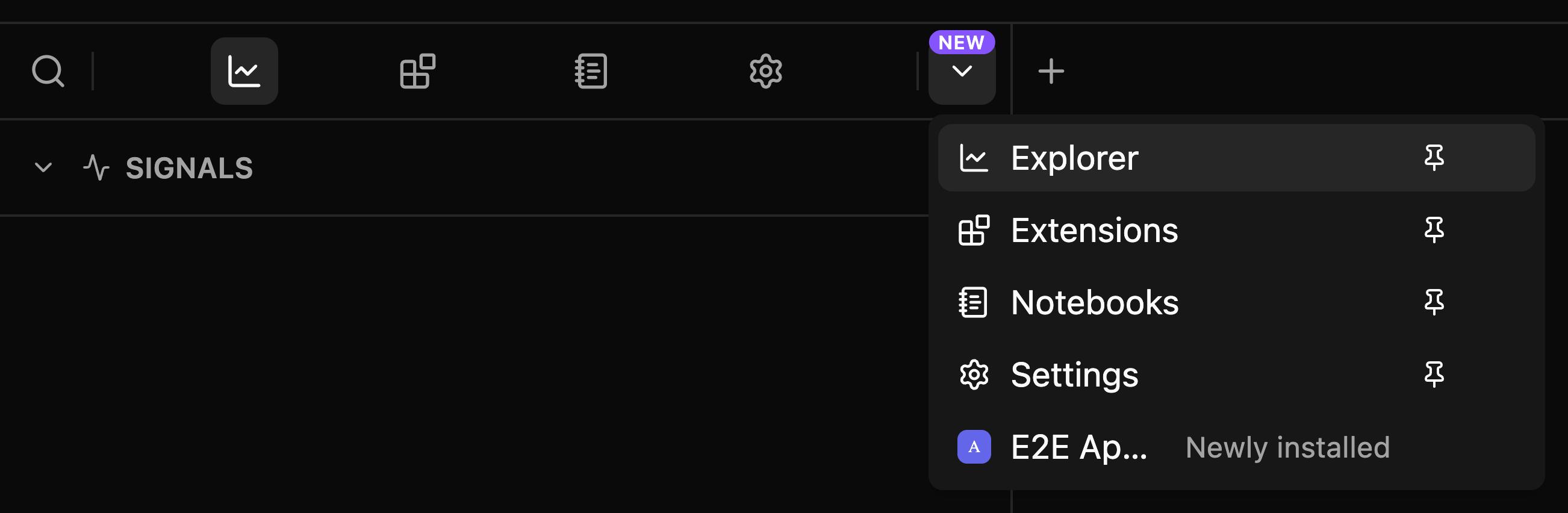
A violet NEW pill above an icon means something inside is worth a look:

| Where | Meaning |
|---|---|
| Settings | An app update is available |
| Extensions | Updates are available for installed extensions |
| An app extension | Newly installed — the badge clears the first time you open it |
Badges Always Find You
A badge never hides with its icon:
- If the badged item only lives in the
⌄menu (unpinned or overflowed), the chevron shows the pill, and the menu row spells out the reason ("Update available", "Newly installed"). - If the whole sidebar is closed, the pill appears on its title-bar toggle instead.

Resizing and Collapsing
- Drag a sidebar's inner edge to resize it; drag it all the way toward the window edge to close it.
- Double-click the divider to reset the sidebar to its default width.
- Sections inside a view work the same way: drag the divider between them to adjust their heights, double-click it to reset the split.
- Toggle sidebars from the title bar buttons or with
Cmd+\/Cmd+J(Ctrlon Windows/Linux).
A collapsed sidebar leaves an invisible grab handle at the window edge — hover it and it lights up; drag or double-click it to reopen the sidebar:
Keyboard Shortcuts
| Action | macOS | Windows / Linux |
|---|---|---|
| Toggle left sidebar | Cmd+\ |
Ctrl+\ |
| Toggle right sidebar | Cmd+J |
Ctrl+J |
| Open AI Chat | Cmd+L |
Ctrl+L |
| Search the left sidebar | Cmd+F |
Ctrl+F |
| Search the right sidebar | Cmd+Shift+F |
Ctrl+Shift+F |
| Close search (while typing) | Esc |
Esc |
The Explorer View
The Explorer view is home to your data: collapsible Signals, Actions, and Extensions sections. Click a section header to expand or collapse it, drag the dividers between sections to adjust their heights, and use each section's ⋮ menu for section-specific operations. Section heights and whether each section is open persist with the view. How far the signal and action trees are expanded, and whether idle signals are listed, remain separate for each workspace.
Mode-Based Visibility
Actions and Extensions are only visible when connected to a live agent. When working with trace files, only Signals is available.
Signals
Browse and add data signals from your connected agent or trace file.
Signals are organized hierarchically with support for nested events:
Example: robot/sensors/temperature.value
- Source:
robot - Event:
sensors/temperature(nested) - Field:
value
Visual cues: data-type icons, indent guides, full-path tooltips on hover, and muted colors for fields without data.
Adding Items
| Method | Action | Result |
|---|---|---|
| Drag & Drop | Drag item into the center of a panel | Adds the signal to that panel |
| Drag & Drop | Drag item near the top or bottom of a panel, or between rows | Creates a new panel at that row |
| Double-Click | Double-click item | Creates a new panel at the bottom |
| Folder drag | Drag a folder | Adds all items within (respects search filter) |
For signals, new sidebar-driven panels are Plot panels. If the active tab is not a layout tab, Zelos creates a new layout tab and places the Plot there instead.
Insert Between Panels
In non-empty layouts, dragging a signal near the top or bottom of a panel, or into the gap between panel rows, draws a line where the new panel will go. The panels stay where they are, so the panel under the pointer is always the one that receives the drop.
Multi-Select
| Action | Shortcut |
|---|---|
| Toggle selection | Cmd+Click / Ctrl+Click |
| Range select | Shift+Click |
| Select all visible | Cmd+A / Ctrl+A |
| Deselect all | Esc or click outside tree |
Once selected, drag any selected item to add them all to a panel. When searching, Cmd+A / Ctrl+A selects only visible search results.
Search Patterns
The rail search understands signal paths and glob patterns:
| Pattern | Finds | Description |
|---|---|---|
temp |
temperature, temp_sensor | Partial match (auto-wraps to *temp*) |
*inv*voltage* |
inverter/power/voltage_input | Multi-wildcard across paths |
motor?1 |
motor01, motorA1 | ? matches one character |
Matching folders auto-expand, a match counter appears, branches you manually close stay closed, and clearing the search restores your previous tree state.
Show Idle Signals
In Live mode, the Signals section ⋮ menu includes Show idle signals. By default the tree lists signals with recent data; turning this on also lists every signal the agent has produced and retained, shown muted, so you can find and add a signal that has gone quiet. Trace files already list their full signal catalog.
Actions
Execute commands and operations on your connected agent. Actions are organized by namespace and category. Double-clicking an action or dragging it from the tree creates a new Action panel; actions cannot be dropped onto Plot, Table, Log, or Value panels.
Extensions Tree
Control installed agent extensions without leaving the Explorer view: start or stop an extension, open its configuration, or click it to open its detail page. For installing and updating extensions, use the Extensions view.
The Extensions View
The Extensions view manages your integrations in two sections:
- Installed — every extension on this agent, with state indicators and quick controls.
- Marketplace — browse and install community extensions.
The rail search filters both sections. See Extensions for the full guide.
The Data View
Everything that feeds your screen: saved Layouts on top, Data Sources below.
Layouts
Save, load, and manage panel arrangements:
- Save updates the current layout; Save as new creates one from the current arrangement.
- Personal/Shared toggle controls visibility (you vs. your team).
- Per-layout actions: rename, share with team, details, delete.
- The active layout is highlighted, and modified layouts show when unsaved changes exist.
- ⋮ → Details replaces the sections with that layout's own page: who can see it, when it changed, its version history, and its tags. The header's ⋮ repeats the row's actions; Back to Data or
Escreturns to the sections. See Layout Details.
Data Sources
Your connections and trace files, split into:
- Active — currently connected agents and open trace files, with status dots (green = connected, spinner = loading, red = error).
- Pinned — sources you keep at hand; pinned items persist across sessions.
- Recent — previous connections and traces, sorted by last use, with per-item removal.
| Action | Method |
|---|---|
| Connect to agent | Click New agent — Add agent once one is connected — or click a saved connection |
| Open trace file | Click Open trace — Add trace once one is open — or double-click a file |
The rail search filters layouts (by name, creator, ID) and data sources (by address, filename, ID) together.
The Cloud View
Your team's library on Zelos Cloud: uploaded Traces on top, published Notebooks below, newest first. Each row shows its age and who added it. Sign in and be online to use it.
The view names whatever stands in the way instead of a list: Sign in to see your team's cloud, No organization yet, or You're offline. Set up an organization from Home or Settings.
When you publish a notebook in the app, its Cloud row and publish history refresh as soon as publishing succeeds. You do not need to reload the view.

Search
The rail search filters both sections at once. It matches trace names, notebook titles, descriptions, and authors — and tag names, so typing a tag lists everything tagged with it. Each section header counts its matches.

Open or Inspect
| Action | Result |
|---|---|
| Click a row | Opens the trace or notebook |
| Right-click a row | Open, Details, Copy link, Open in console, and Delete… where allowed |
Traces still uploading show a spinner and cannot be opened yet; failed uploads are dimmed.
Keyboard
| Key | Does |
|---|---|
↓ from the search field |
Moves into the first row of the results |
↑ / ↓ |
Move between rows |
Enter |
Opens the row |
Home / End |
Jump to the first or last row |
Esc |
On a detail page, returns to the list |
Detail Pages
Choose Details from a row's menu to open its page.
The line under the name says what you are looking at. For a trace still uploading, or one whose upload failed, it says that too. For a notebook it says who can see it — your team, or only you.
A trace's page shows how long it ran, when it was recorded, its size, its uploader, and the upload time. A notebook's shows its description, when it was last published and by whom, how that run ended, any other authors, and its five newest publishes.
Both end with Tags, edited in place: + attaches a tag or creates one, and the ✕ on a chip detaches it. Every tag on the row is shown. Changes save as you make them and show everywhere the row appears. For sharing, see Sharing traces.


The header's ⋮ carries the same actions as the row's own menu: Open, Copy link, Open in console, and — for traces — Delete…. Delete shows only when you may delete the trace: you uploaded it, or you are an owner or admin of the team. Deleting removes it from Zelos Cloud for everyone, and the stored data goes with it — a tab that still has that trace open can no longer read from it.
The Back to Cloud icon or Esc returns to the lists.
Next Steps
-
Visualize your signals
-
Install and run integrations
-
Keep repeatable analysis beside your code
-
Preserve your setup